Connecting Your Tools
How connections work: authenticating once, reusing everywhere, and keeping them healthy.
A connection is a saved, authenticated link to one of your systems. You create it once and every flow in the workspace can use it.
This page covers what applies to all connections. The individual connector guides cover only what is specific to each.
Creating a connection#
Open Apps in the sidebar — the page is titled Applications & Connectors — pick the app, and authenticate. Two shapes:
Method | How it goes |
|---|---|
OAuth | You are redirected to the provider, sign in, and approve access. Most apps |
Credentials | You supply keys, a client ID and secret, or a service URL. Databases, S3, SAP, self-hosted systems |
Once created, the connection is available to every flow — you do not connect per flow.
Connections hold auth; flows hold behaviour#
This is the single most useful thing to understand about connections.
A connection stores only the authentication. What to read, write or listen for is configured on the steps of each flow. So one Salesforce connection can power a nightly sync, an alerting flow and a reporting flow, all with completely different configuration.
The practical consequences:
- Rotating a credential fixes every flow at once. Re-authenticate the connection and nothing else needs touching.
- You rarely need two connections to the same system — unless you genuinely want different permissions or different accounts.
- Deleting a connection affects every flow using it. Check before removing one.
Scope the credential at the source#
The strongest access control available is not in this product — it is the permissions on the account you connect. A read-only database user for a read-only flow, a Salesforce integration user restricted to the objects your flows touch, an S3 key scoped to one bucket prefix.
No platform-side setting limits damage as effectively as a credential that cannot do the damaging thing.
Connect the right environment#
Security#
Credentials are encrypted at rest with AES-256-GCM and decrypted only to execute your flows. They are never written into a flow definition, and never included in an export.
You can re-authenticate or remove a connection at any time. Flows using a removed connection fail visibly rather than silently. See the Security Overview.
Keeping connections healthy#
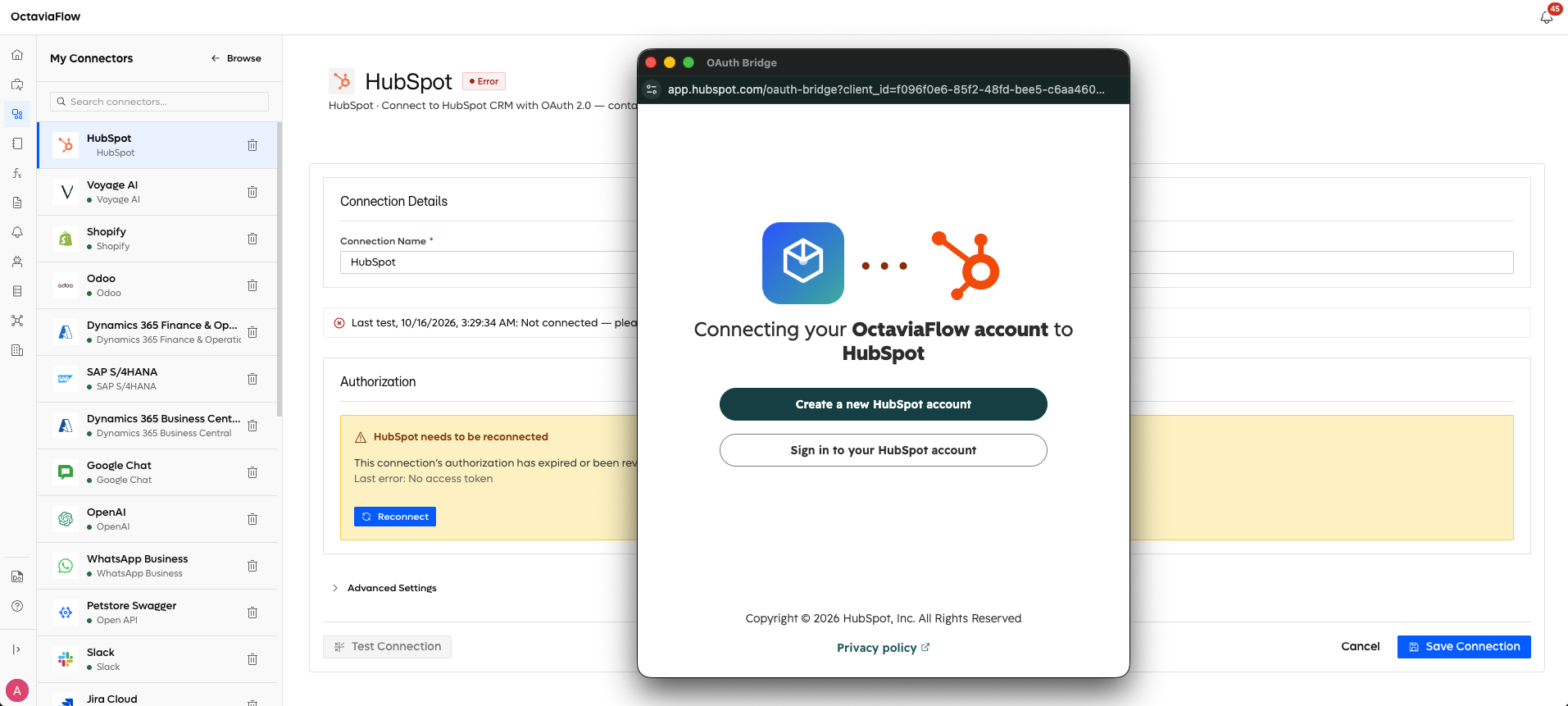
OAuth connections can go stale — a revoked grant, a rotated password, an expired refresh token, an admin removing the app. When that happens, the connection reports an error and flows using it fail with an authorisation error rather than doing something unpredictable.
Re-authenticating from the Apps page fixes it, and no flow needs editing.
Using a connection in a flow#
Connector holds records | Connector does a thing |
|---|---|
Read with Query | Use its dedicated action |
Write with Transform | Slack sends, S3 stores, WhatsApp messages |
Which one applies is the Works in Query column in the Connector Matrix.
No native connector?#
Any tool with an HTTP API can still be part of your flows — see Connect Any API.